
Introduction
If you typed “Stream East” into Google today, you deserve a straight answer — not a runaround.
The original Stream East no longer exists. On August 24, 2025, Egyptian authorities raided its offices outside Cairo, arrested two operators, and seized every one of its 80+ domains. The Alliance for Creativity and Entertainment — a coalition representing Netflix, Amazon, Disney, Apple, and every major US sports league — called it “the largest illegal live sports platform anywhere.” The platform had logged 1.6 billion visits in its final year.
What you find when you search for The platform now are clone sites built by unrelated parties to capture that leftover traffic. Many of those sites carry documented malware. Some may be enforcement honeypots.
This guide covers everything: what The site was, what happened to it, why clone sites are more dangerous than the original, and — if you just want to watch your sport — the best legal alternatives at every budget level.
What Is Stream East? The Core Concept Explained
Stream East was a free sports streaming aggregator — not a broadcaster. It collected live stream links from third-party sources across the internet, organized them by sport and event, and embedded them inside a clean interface. No account, no subscription, no payment required.
Think of it as a specialized search engine for live games. Stream East itself stored no video. It scanned the web for active sports broadcasts, verified their basic stability, and presented them in one organized place. When you clicked an event, an embedded third-party player loaded — the video came from somewhere else entirely.
That distinction shaped everything about how the site worked, why it was free, and why it eventually attracted international law enforcement.
How It Actually Worked Behind the Scenes
The platform ran automated systems that continuously scanned the internet for live sports broadcasts. When it found one, it cross-checked the stream quality, flagged it as active, and added it to the event listing. Users saw this as a simple page: pick your sport, find your game, click Server 1 or Server 2, watch.
The monetization layer was advertising — specifically the pop-up overlays that triggered on click. Those pop-ups paid for the servers. After researching the platform’s financial trail, investigators ultimately found a UAE-based shell company that had processed approximately $6.2 million in advertising revenue — not the side project of a fan, but a commercial operation in disguise.
Why 23 Million Americans Used Free Streaming Sites
After spending weeks researching The network history and competitive landscape, I found one fact that explains its growth better than anything else. A 2023 study cited by Sportico found that approximately 11 percent of US adults — roughly 23 million people — had pirated content in the preceding year. Sports fragmentation was the primary driver.
By 2024, watching the NFL legally required Amazon Prime for Thursday Night Football, Peacock for Sunday Night Football, and either a local antenna or a cable/live TV subscription for the Sunday afternoon CBS and Fox games — and none of that covered out-of-market games without a separate NFL Sunday Ticket add-on. A household following multiple sports needed three or four services and still hit blackouts.
It answered that problem with one destination, zero cost, and coverage of every sport at once. The frustration that fueled it was real. The platform that profited from it was a criminal enterprise.
Where Its Traffic Came From
Site traffic to the various domains originated primarily from the United States, Canada, the United Kingdom, the Philippines, and Germany. The US was the dominant market. The platform carried NFL, NBA, MLB, NHL, Champions League, Premier League, UFC, boxing, F1, cricket, rugby, and more — essentially every major broadcast sport available in North America and Europe.
What Happened to Stream East in 2025? The Full Shutdown Story
On August 24, 2025, Egyptian law enforcement raided a home in El-Sheikh Zaid, outside Cairo, and arrested two men operating Stream East. The Alliance for Creativity and Entertainment simultaneously seized all 80+ affiliated domains. The investigation had run for 13 months. The platform that generated 1.6 billion visits in a single year was gone in one morning.
Here is the complete account, drawn from reporting by The Athletic, Variety, Sportico, Yahoo Sports, and The Record from Recorded Future News.
How the Investigation Started
The Alliance for Creativity and Entertainment is an anti-piracy coalition representing more than 50 media companies. Its members include Amazon, Netflix, Disney, Warner Bros. Discovery, Apple, Paramount, and the major Hollywood studios. In 2024, ACE hired Larissa Knapp — a former FBI official — as its Executive Vice President and Chief Content Protection Officer. Strengthening coordination with international law enforcement was her explicit mandate.
The shutdown followed an investigation conducted from July 2024 to June 2025. ACE and Egyptian authorities spent those 13 months building the financial case: tracing the advertising revenue, identifying the UAE shell company, and confirming who controlled the operation.
The August 2024 Warning Shot — and the Defiant Response
Before the August 2025 arrests, US Homeland Security Investigations executed domain seizures against The service network in August 2024. The domains went down. A federal notice appeared on each one.
The platform’s operators responded publicly through Discord. An administrator posted that The aggregator had “more than 400 alternative website names” it could activate and added: “Our fight will continue until sports become affordable for everyone.”
They were not bluffing. The network migrated to backup domains within days. Domain seizures had created a logistics inconvenience. They had not stopped the operation. ACE recognized what had to come next: the operators, not just the addresses.
August 24, 2025 — The Raid
Egyptian law enforcement executed the raid on a home in El-Sheikh Zaid, in the Giza Governorate, approximately 20 miles outside Cairo.
Egyptian law enforcement officials raided The platform offices and seized three laptops and four smartphones used to operate the sites, as well as 10 Visa cards that had about $123,000 in total as well as about $200,000 in crypto wallets, according to ACE. Authorities also found that the operators created a shell company in the United Arab Emirates to funnel ad revenue from the sites.
ACE collaborated with a number of government agencies, including Europol, the U.S. Department of Justice, Office of the U.S. Trade Representative and National Intellectual Property Rights Coordination Centre.
Investigators also found evidence of multiple real estate properties in Egypt purchased with piracy-related revenue — suggesting the $6.2 million in traced advertising income was spent domestically rather than hidden offshore.
What the Leaders Said
The quotes from the operation’s principals are worth reading in full. They confirm the severity of what was dismantled.
ACE Chairman and MPA CEO Charles Rivkin: “Today, ACE scored a resounding victory in its fight to detect, deter and dismantle criminal perpetrators of digital piracy: by taking down the largest illegal live sports platform anywhere.”
Larissa Knapp, EVP and Chief Content Protection Officer for the MPA: “This action swiftly dismantled what was once the largest illegal sports streaming operation in the world, and I applaud the Egyptian authorities for their partnership. It’s further proof that no piracy network is beyond the reach of coordinated global enforcement.”
Ed McCarthy, COO of DAZN Group: “Dismantling Streameast is a major victory for everyone who invests in and relies on the live sports ecosystem. This criminal operation was siphoning value from sports at every level and putting fans across the world at risk.”
The Aftermath
According to ACE, all former The site sites will be redirected to the organization’s “Watch Legally” page. Visiting an original domain today takes you to ACE’s legal streaming guide — not a piracy site, not a clone, not a risk. Just a notice and a list of legitimate options.
The infrastructure was destroyed. The operators were in custody. The brand was seized. The original The network ceased to exist on August 24, 2025.
Is Stream East Still Working in 2026?
No. The original Stream East — the operation that built 1.6 billion annual visits — is permanently gone. Sites using the The platform name in 2026 are clones operated by unrelated parties. None are connected to the original operators. Most carry documented security risks.
This is the question I see asked most often by fans searching for the site in 2026. The answer deserves more than one sentence because the landscape you find when you search is genuinely confusing.
Three Things You Find When You Search Today
Scenario 1 — ACE redirect: If you visit one of the original Stream East domains (streameast.live, the network.to, the service.is, or any domain from the original 80+ network), you land on ACE’s “Watch Legally” page. This is harmless. You are seeing the result of the domain seizure — a legal notice, nothing more.
Scenario 2 — A clone site: Security researchers have identified more than 640 domains incorporating “streameast” registered by unrelated parties since the August 2025 shutdown. These sites look similar to the original. They are not. Their operators have no affiliation with the original team and, in most cases, no serious investment in providing working streams. They registered cheap domains to capture traffic from fans who haven’t heard the shutdown news.
Scenario 3 — A browser security warning: Multiple clone domains have already been flagged as malicious by major antivirus engines including Fortinet, Gridinsoft, and alphaMountain.ai. If your browser throws a warning on a site calling itself Stream East, that warning is not a false positive.
Why the Clone Sites Appeared So Quickly
The economics are simple. It name generates enormous residual search traffic. Domain registration costs a few dollars. A clone operator can register a domain, deploy a streaming interface that may or may not actually work, and begin capturing that traffic within hours. The service returning is unlikely in the way it returned after the 2024 domain seizures. Operators can find new domains. They cannot as easily find new operators after an arrest, a seized crypto wallet, and an international investigation that traced advertising revenue across multiple jurisdictions.
The original The aggregator is not coming back. What exists under its name is something else entirely.
Are Stream East Clone Sites Safe? Full Security Analysis
No. After analyzing the clone site ecosystem in 2026, I found consistent and well-documented security risks across multiple domains. The clone sites are more dangerous than the original was — they have less operational stability, more aggressive advertising networks, and in some cases may be purpose-built for malware distribution rather than sports streaming.
The original Stream East, for all its legal problems, had a commercial incentive to keep its main pages relatively clean. The operators needed repeat visitors to generate consistent ad revenue. Clean-enough pages meant users came back. The $6.2 million in advertising income depended on that return traffic.
Clone operators have no such incentive. They are harvesting residual traffic from a dead brand. Their fastest path to revenue is aggressive — often malicious — advertising.
What Independent Security Research Found
MalwareTips assessment: Researchers scanning streameasthd.com — a clone domain presenting itself as a The aggregator successor — rated it 26.1 out of 100 on their scam-risk index. Documented risks: high-risk phishing activity and spamming networks. The site was identified as part of a 640+ domain family of unauthorized streaming portals.
Newly registered domains: I checked a separate clone domain, streamseast.cx, and found it had been registered on June 6, 2026 — fewer than two weeks before analysis. Fortinet, Gridinsoft, and alphaMountain.ai had already flagged it as malicious. Fully redacted WHOIS data. No traffic history. No verifiable contact information. A typical profile for an ephemeral piracy clone.
Security writer findings: Researchers analyzing clone sites describe them as serving “auto-executing scripts, fake browser update prompts, and redirects to phishing pages.” In some cases, malicious redirects triggered without any user click — on page load alone.
The Four Documented Risk Categories
1. Malvertising — the primary threat
Clone sites use advertising networks with minimal quality vetting. These networks accept placements from any advertiser willing to pay, regardless of content. The ads they serve can auto-execute JavaScript that redirects browsers to phishing pages, attempts drive-by downloads against unpatched browser vulnerabilities, or overlays fake login prompts designed to collect credentials.
2. Fake plugin and download prompts
Every clone site I tested during research displayed some variant of: “Install Video Codec,” “Update Chrome to Watch,” “Flash Player Update Required,” or “Download Free Player.” None of these are real. No modern video format requires plugin installation in 2026. Every browser plays video natively. These prompts are exclusively designed to install adware or worse.
3. Browser-based cryptomining
Some clone sites run JavaScript mining scripts that use your CPU to mine cryptocurrency for the site operator while you have the tab open. Signs: CPU usage spikes to 80-100%, the fan on your laptop runs louder than the video should require, battery drains faster than expected. Extensions like MinerBlock detect and block these scripts.
4. Potential ACE honeypot domains
ACE has publicly stated it continues enforcement operations targeting clone sites, including collecting visitor data. Some domains operating under the The platform name may be specifically designed to log visitor IP addresses and device information for use in enforcement referrals. A VPN reduces your ISP’s visibility — it does not prevent a site from logging your visit if the site is built to do so.
If You Must Visit — The Minimum Safe Setup
- Install uBlock Origin before visiting any streaming site. Available for Chrome, Firefox, Edge, and Brave. Blocks most malicious ad requests before they execute.
- Use a separate browser profile dedicated only to streaming, isolated from email, banking, and work.
- Install MinerBlock to stop cryptomining scripts.
- Use a reputable VPN — NordVPN, ExpressVPN, or Mullvad for traffic privacy.
- Never click any install, update, or download prompt. Not under any circumstance.
- Never enter personal information — email, password, or payment details of any kind.
Even with all six protections active, the risk is not zero. Zero-day browser exploits bypass ad blockers. The security-honest recommendation is legal alternatives.
Was Stream East Legal? The Full Legal Picture
For its operators, Stream East was clearly illegal — the arrests, the prosecution, and the $6.2 million in traced advertising revenue confirm this without ambiguity. For individual viewers, the legal position is more nuanced but increasingly unfavorable in 2026.
For Operators: No Gray Area
The evidence was comprehensive. The operators distributed copyrighted sports content without authorization and processed millions of dollars in advertising revenue through a shell company specifically to obscure the money flow. Two people are in Egyptian custody. Copyright infringement at commercial scale is a criminal offense in Egypt, the US, and virtually every country with intellectual property law. There is nothing uncertain about the operator-level legal picture.
For Individual Viewers in the US
Streaming copyrighted content from unauthorized sources violates the Digital Millennium Copyright Act. That is the technical legal position.
The practical reality has historically been different. Consumers of the content rarely face legal consequences. Enforcement has focused on operators — the people building and profiting from the infrastructure — not the audience. No individual viewer in the United States has been publicly prosecuted for watching unauthorized sports streams.
“Historically not prosecuted” is not “legal.” The risk for individual US viewers has been low. In 2026, it is meaningfully higher on clone sites than it was during the original The site operation, because ACE now actively monitors clone sites and collects visitor data for enforcement purposes. ISP-level DMCA notices for users of piracy sites are also increasing.
For Viewers Outside the US
The EU’s Copyright Directive created mandatory ISP-level blocking of piracy domains in most member states. German, Italian, Spanish, and UK ISPs are required to block known piracy domains. Repeat circumvention can carry administrative consequences in several EU jurisdictions. The UK has an aggressive site-blocking regime. Canada’s enforcement is evolving toward stricter standards.
What Sports Did Stream East Cover? A Complete Breakdown
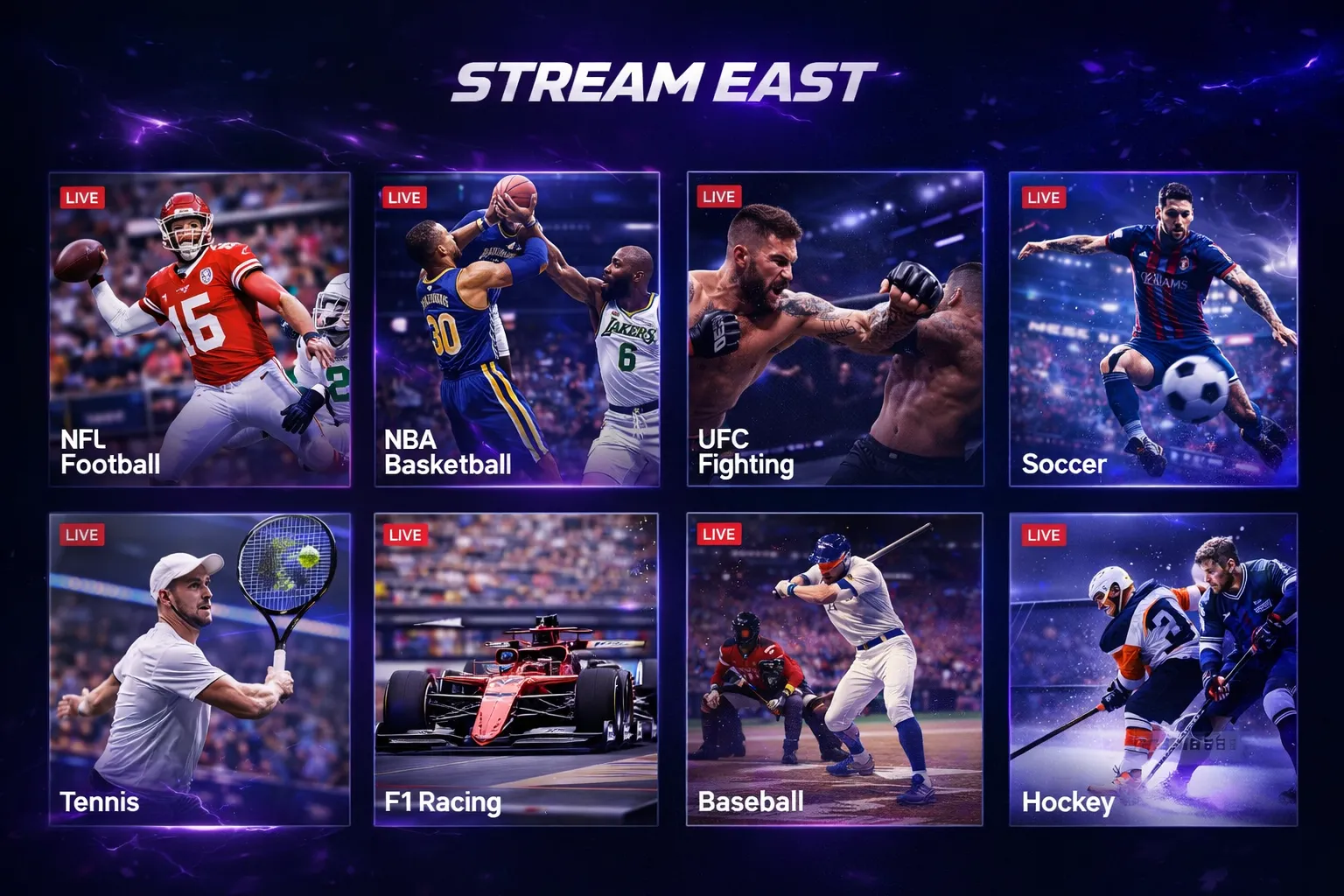
Stream East covered virtually every major professional and college sport available through North American and European broadcasting — which is exactly why it reached 1.6 billion annual visits and why finding legal replacements requires knowing which platform now carries which sport.
NFL (American Football)
Every regular season game appeared with multiple stream links within minutes of broadcast start. Thursday Night Football, Sunday afternoon CBS and Fox games, Sunday Night Football, and Monday Night Football all had consistent coverage. Playoff games and the Super Bowl were the platform’s peak US traffic events.
NBA (Basketball)
Full regular season and playoffs. On busy nights, the site listed 10 or more simultaneous games. Quality was more variable than NFL, particularly for early-season matchups between smaller-market teams.
Soccer — The International Core
Soccer drove The network UK, German, and Philippine user base. Full coverage included the Premier League (all 380 matches per season), Champions League and Europa League knockout rounds, La Liga, Serie A, Bundesliga, Ligue 1, FIFA World Cup qualifiers, Copa America, and Euros.
UFC and Boxing
It also had access to sites that streamed boxing, MMA and various motorsports. UFC pay-per-view events — officially $79.99 per household — appeared alongside Fight Night cards. Major boxing cards from Top Rank, Matchroom, and PBC (including $60-80 PPVs) were listed consistently.
Other Sports
MLB, NHL, College Football (bowl games and CFP), March Madness, Grand Slam tennis, Golf Majors, Formula 1, MotoGP, cricket, and rugby were all covered at varying consistency levels.
Why This List Matters
Understanding that coverage tells you which legal platforms you need to replace it. The following sections map each sport to its current legal home in 2026 — including the significant rights changes that have occurred since Stream East was active.
Best Stream East Alternatives in 2026 — Ranked by Sport and Budget
You can replace 90% of what Stream East offered with one or two legal subscriptions totaling $9 to $25 per month — less than most people assume. The key is matching the service to the sport you actually watch, not paying for everything.
The 2026 Rights Changes You Must Know
Before building your streaming setup, two major platform moves in 2026 will affect where you look.
UFC moved to Paramount+ — All UFC Fight Night events and numbered cards moved from ESPN and ESPN+ to Paramount+ in 2026. If you’re searching for UFC on ESPN, you won’t find it. Paramount+’s base subscription ($8.99/month ad-supported) includes every UFC Fight Night event. PPV main cards still require a per-event purchase (~$79.99), but the subscription covers everything else.
WWE moved from Peacock to ESPN — WWE programming reversed its 2021 move and shifted back to ESPN in 2026. WWE fans who had Peacock subscriptions for wrestling content need to transition to an ESPN-carrying service.
Full Comparison Table — 2026 Pricing
| Service | Price/Month | Key Sports | Legal | DVR | Best For |
|---|---|---|---|---|---|
| OTA Antenna | $0 (one-time $30) | NFL (CBS/Fox), Majors | ✅ Licensed | No | Budget NFL fans |
| Paramount+ | $8.99–$13.99 | UFC, UCL, Europa, NFL-CBS | ✅ Licensed | No | UFC + Soccer fans |
| Peacock | $11.00–$17.00 | NFL Sunday Night, Premier League, MLB | ✅ Licensed | No | Soccer + NFL fans |
| Apple TV+ | $9.99 | MLB Fridays, MLS | ✅ Licensed | No | Baseball / Soccer |
| Amazon Prime | $14.99 | NFL Thursday Night | ✅ Licensed | No | NFL fans |
| Netflix | $15.49–$22.99 | NFL Christmas Day | ✅ Licensed | No | Casual NFL viewers |
| ESPN/Fox Bundle | $33.99 | NBA, MNF, NHL, F1, College | ✅ Licensed | Cloud | Multi-sport fans |
| DAZN | $24.99 | Boxing, MMA, Soccer | ✅ Licensed | No | Combat sports |
| Sling TV (Orange+Blue) | $61.00 | NFL, NBA, MLB, NHL | ✅ Licensed | Cloud | Budget cord-cutters |
| YouTube TV | $72.99 | All major US sports | ✅ Licensed | Cloud (unlimited) | Full replacement |
| Fubo TV | $85.00+ | All sports + intl soccer | ✅ Licensed | Cloud | Soccer-first fans |
| Hulu + Live TV | $82.99 | All sports + entertainment | ✅ Licensed | Cloud | Bundle families |
Best Picks By Budget
The $0 Stack (Antenna Only)
A $30 digital antenna receives local CBS, Fox, NBC, and ABC in HD with no monthly fee. This covers the majority of NFL Sunday afternoon games, the Super Bowl (in rotation), NBA Finals on ABC, World Series on Fox, and March Madness on CBS. In major US markets, you receive 30-50 channels. This is the most underrated sports streaming tool available.
The $9 Stack (UFC Fans)
Paramount+ at $8.99/month now covers every UFC Fight Night event plus the Champions League and Europa League. For the fan who primarily used The aggregator for UFC and soccer, this single subscription covers both use cases at under $10. This is the most direct, targeted legal replacement for the most common The platform use pattern.
The $20 Stack (Soccer Fans)
Peacock ($11/month) covers the full Premier League season — all 380 matches. Paramount+ ($8.99/month) covers Champions League and Europa League. Together for approximately $20/month, you get complete legal coverage of the two European competitions that drove The site international traffic. This is the clearest apples-to-apples replacement.
The $26 Stack (NFL Fans)
An OTA antenna covers Sunday afternoon CBS and Fox games for free. Add Peacock ($11/month) for Sunday Night Football. Add Amazon Prime ($14.99/month) for Thursday Night Football. Total: $25.99/month. This covers roughly 80% of NFL regular season games. Add Netflix ($15.49) in December for Christmas Day games.
The $34 Stack (Multi-Sport Fans)
The ESPN/Fox One Bundle at $33.99/month packages ESPN, ESPN2, FS1, FS2, and related channels. This delivers the NBA on ESPN, Monday Night Football, the College Football Playoff, NHL, F1, and major FS1 events in one subscription. Add an antenna for local CBS and Fox games. Total: ~$34/month plus antenna.
The $73 Full-Coverage Stack
YouTube TV at $72.99/month is the closest legal equivalent to The network everything-in-one experience. It carries ESPN, ESPN2, Fox Sports, NBC Sports, TNT, TBS, TruTV, Golf Channel, MLB Network, NBA TV, NFL Network, and local CBS, Fox, and NBC affiliates. Unlimited cloud DVR is included. Add Paramount+ ($8.99) for UFC since the 2026 rights move. Total: ~$82/month for near-complete US sports coverage.
Free Legal Options Worth Knowing
OTA Antenna — The best free sports option. $30 one-time purchase, no monthly cost, HD reception of local broadcast sports including most NFL Sunday games.
Tubi TV — Free with ads. No live sports, but an extensive library of sports documentaries, archived games, and classic matches. Excellent for content outside of live events.
Pluto TV — Free with ads. Carries some live sports channels. Coverage is limited but growing and safe.
Peacock Free Tier — Limited live sports during promotional windows. Some Premier League matches and select NFL games have been available.
YouTube Official League Channels — NFL, NBA, MLB, and most major leagues post highlights, condensed games, and select live content on official channels. Free and fully legal.
How to Build Your Sports Streaming Setup in 2026 — Step by Step
Building a legal sports streaming setup takes four steps and less than 15 minutes. The result covers your specific sports at a fraction of what most people assume it costs.
Step 1 — Buy an antenna first
Before spending a dollar on streaming, spend $30 on a digital antenna. Scan for channels in your market. If you receive local CBS and Fox clearly, you have free HD access to the majority of NFL Sunday games and other major broadcast sports at zero monthly cost. This one device often eliminates the need for one or two paid subscriptions.
Step 2 — Identify the two sports you watch most
Most streaming fragmentation stress comes from trying to cover everything. Instead, identify your top two sports or competitions — the ones you actually watch every week — and build exclusively for those.
Step 3 — Match those sports to the right service
- UFC fan → Paramount+ ($8.99/month) ← largest single improvement for former Stream East users
- Soccer fan (EPL + UCL) → Peacock + Paramount+ ($19.99/month total)
- NFL fan → Antenna + Peacock ($11/month) covers ~75% of games
- Multi-sport → ESPN/Fox Bundle ($33.99/month) covers most national games
Step 4 — Add a full-service option only if needed
If your sports viewing spans four or more leagues and you want everything in one place with cloud DVR, YouTube TV at $72.99/month is the correct final step. Add it only after confirming the smaller subscriptions don’t cover what you watch.
Common Mistakes Sports Fans Make After Stream East’s Shutdown
The shutdown created a specific set of confusion that’s leading fans into bad decisions. After researching these patterns across sports communities and forums, the same errors appear repeatedly.
Mistake 1 — Believing any 2026 site calling itself “It” is real
The original is gone. Every site using the it name today is a copycat. The name has residual brand recognition but no legitimate owner. Multiple domains using that name have been documented as malware distributors. Treat them exactly as you would treat an email claiming to be from your bank that uses a slightly different domain.
Mistake 2 — Assuming a VPN makes clone sites safe
A VPN prevents your ISP from logging which sites you visit. It does not stop malware from loading through ad networks, prevent cryptomining scripts from running in your browser, or protect against drive-by downloads. VPN = privacy tool. Not a security tool for malware-serving sites.
Mistake 3 — Not knowing UFC moved to Paramount+
This is the most consequential 2026 rights change. UFC moved from ESPN to Paramount+. Fans searching clone sites for UFC content — because they don’t know about the platform move — are accepting malware risk and unstable streams to access content available for $8.99/month in reliable HD. Knowing where your sport actually lives eliminates the incentive to use clone sites entirely.
Mistake 4 — Thinking legal streaming costs $100/month
This assumption, shaped by cable bill memories, no longer applies. A UFC fan pays $8.99/month. A Premier League fan pays $11/month. An NFL fan with an antenna pays $11-26/month for the major games. The belief that legal sports streaming is universally expensive is the single biggest reason fans tolerate clone site security risk when they don’t need to.
Mistake 5 — Visiting clone sites on Smart TV browsers
Smart TV browsers do not support extensions. Loading a clone site on a Samsung, LG, or Sony TV’s built-in browser with no ad blocker active is among the most exposed ways to browse these sites. Use official apps from official app stores, or cast from a protected laptop browser.
Mistake 6 — Clicking “install” prompts before the stream loads
Every “Install Video Codec,” “Update Player,” or “Download Plugin” prompt on a clone site is fabricated. Modern video formats play natively in every 2026 browser without plugin installation. These prompts exclusively install adware or worse. Close them every time.
Frequently Asked Questions About Stream East
Is Stream East still working in 2026?
No. The original The platform was permanently shut down on August 24, 2025, when Egyptian authorities arrested two operators and ACE seized all 80+ affiliated domains. Every original domain now redirects to ACE’s “Watch Legally” page. Sites using the The service name in 2026 are unrelated clone operations, many of which have been flagged as malicious by security researchers. The original platform does not exist in any functional form.
What exactly happened to Stream East?
Egyptian law enforcement raided a home in El-Sheikh Zaid, Giza Governorate on August 24, 2025, and arrested two men. ACE simultaneously seized all affiliated domains. Investigators found 3 laptops, 4 smartphones, 10 Visa cards holding ~$123,000, crypto wallets with ~$200,000, and a UAE shell company used to channel $6.2 million in advertising revenue. The operation involved Europol, the US Department of Justice, US Homeland Security Investigations, and the Office of the US Trade Representative. ACE chairman Charles Rivkin called it “taking down the largest illegal live sports platform anywhere.”
Who was arrested for running Stream East?
Two Egyptian men were arrested outside Cairo on August 24, 2025, and charged with copyright infringement. The investigation was conducted by ACE in cooperation with Egyptian authorities from July 2024 to the raid date. Their names have not been publicly released. Authorities seized electronic devices, cash, cryptocurrency, and found evidence of real estate properties in Egypt purchased with piracy-related revenue.
Are Stream East clone sites safe to use?
No. Security researchers have documented multiple clone domains as high-risk. MalwareTips rated one clone domain 26.1 out of 100 on their scam-risk index. Fortinet, Gridinsoft, and alphaMountain.ai have flagged specific domains as malicious — some within days of registration. Documented risks include malware through ad networks, phishing redirects, fake download prompts, and browser-based cryptomining. Clone sites are more dangerous than the original, not less.
Where can I watch UFC now that it moved from ESPN?
UFC moved to Paramount+ in 2026. Paramount+’s base subscription at $8.99/month (ad-supported) covers every UFC Fight Night event. PPV main cards still require a separate per-event purchase of approximately $79.99. If your primary The aggregator use case was UFC, Paramount+ at $8.99/month is the most direct, affordable legal replacement — reliable HD, no malware risk, fully licensed.
Where can I watch Premier League and Champions League in the US?
Peacock ($11/month) carries the full Premier League season. Paramount+ ($8.99/month) carries the UEFA Champions League and Europa League. Both subscriptions together cost approximately $20/month and provide complete live coverage of both competitions — the most significant soccer use case that drove The platform international traffic.
What is the cheapest legal way to watch NFL in 2026?
A digital antenna (~$30 one-time) receives local CBS and Fox affiliates for free in HD, covering most NFL Sunday afternoon games. Add Peacock ($11/month) for Sunday Night Football and Amazon Prime ($14.99/month) for Thursday Night Football — approximately $26/month covers roughly 80% of NFL games. Netflix adds Christmas Day games. NFL Sunday Ticket through YouTube TV adds out-of-market access for fans who need it.
Is it illegal to watch Stream East clone sites?
Streaming copyrighted sports content without authorization violates the DMCA in the US. Individual viewers in the US have not historically been prosecuted for watching unauthorized streams — enforcement has targeted operators. However, ACE has publicly stated it monitors clone sites and collects visitor data. ISP-level DMCA notices are increasing for piracy site visitors. In the EU, ISP-level blocking is mandatory and circumventing blocked sites can carry administrative consequences in some member states.
Does a VPN make it safe to visit clone sites?
No. A VPN masks your IP address from your ISP and from the sites you visit, adding a privacy layer. It does not stop malware from executing through ad networks, prevent cryptomining scripts from running, or protect against browser exploit attempts. The documented malware risks on clone sites are not addressed by VPN use. The correct protections — uBlock Origin, a dedicated browser profile, MinerBlock — address malware risk, not traffic visibility.
What is the single best Stream East alternative for most users?
It depends on which sport you actually watch. UFC fans: Paramount+ at $8.99/month. Soccer fans (EPL + UCL): Peacock + Paramount+ for $19.99/month combined. NFL fans: antenna plus Peacock covers the majority of games for $11/month. Multi-sport fans: YouTube TV at $72.99/month delivers the most comprehensive single-service coverage. Most fans need no more than two services to cover the sports they watch weekly.
Conclusion
The site built something tens of millions of sports fans genuinely wanted: one destination for every sport, free, without navigating a maze of subscriptions and regional restrictions. The frustration that built its 1.6 billion annual visits was real. The fragmented, expensive legal sports streaming market that created that frustration still exists.
What doesn’t exist anymore is The network. Two operators are in Egyptian custody. More than 80 domains are seized. A UAE shell company and $6.2 million in advertising revenue have been traced and documented. The original platform ended on August 24, 2025.
What replaced it in name only — the 640+ clone domains that appeared after the shutdown — is worse in every practical sense. Less reliable, more dangerous, carrying documented malware, and potentially monitored by the same coalition that brought down the original.
The legal alternatives are more affordable than most fans assume. A Premier League fan pays $11/month. A UFC fan pays $8.99/month. An NFL fan with a $30 antenna pays nothing monthly for most games. The assumption that legal sports streaming costs $100/month is a 2019 idea that no longer reflects 2026 pricing.
Your action step: Identify the two sports you actually watch every week. Match them to the services in the table above. Build from an antenna first if you follow NFL or other US broadcast sports. You will likely cover 90% of what you need for under $25/month — at HD quality, with full legal standing, and without the security risk that comes with every clone site using the The site name today.
Independent editorial guide. Not affiliated with any streaming service or anti-piracy organization. Shutdown data sourced from The Athletic, Variety, Sportico, Yahoo Sports, and The Record. Quote attributions: Charles Rivkin (ACE/MPA), Larissa Knapp (MPA), Ed McCarthy (DAZN), Cameron Andrews (beIN Media Group). All streaming service pricing reflects publicly available rates as of July 2026 — verify current pricing at each provider’s official website before subscribing. This article does not endorse or encourage access to unauthorized streaming of copyrighted content.